
Hey Time Dorks,
Have you ever opened your phone, forgot why you did it, and then found yourself scrolling an Infinity Pool app? Yeah, us too!
This week, I’m going to share a very simple default shift you can make to your phone, which adds some much-needed friction back into the experience, and will help you stay more focused and present throughout your day. Let’s dive in.
Something to Try
I want you to pull out your phone. Unlock it.
Now, what do you see?
If you’re like most people, you’re probably looking at a homescreen crammed with apps, including your most distracting apps. Right there on the homepage.
No wonder you might feel like your phone is a distraction machine.
In a split second, sometimes before you’re even consciously aware, you’re lost in the feed of some of the most distracting apps in the world. And we all know how hard it is to get out of these Infinity Pool apps once you start scrolling.
To fight back against these tools, I recommended trying our Clear Your Homescreen (#20) tactic.
How does it work?
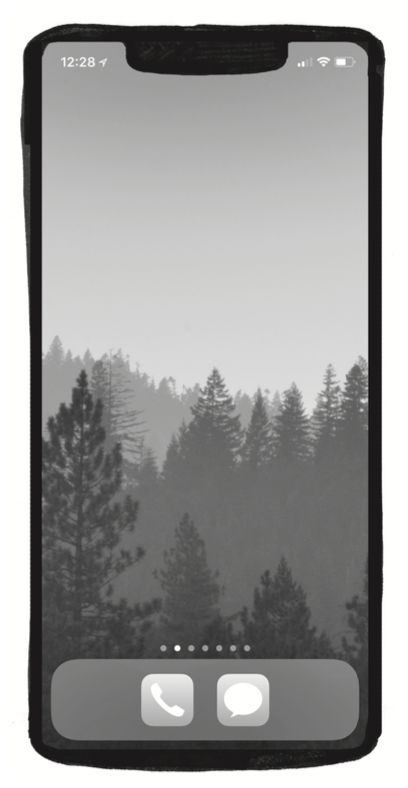
Make your home page blank.
 |
Yep, that’s it.
By moving every single app over to another page, you’ve changed an important default.
Instead of being confronted with a plethora of distractions, you’re confronted with a blank, even beautiful homescreen.
This adds a touch of friction. A momentary pause that allows you to ask yourself, “What exactly am I doing on my phone right now?”
A blank home screen is an intentional inconvenience, a small way for you to stop and consider if this is the best use of your time.
You can customize your wallpaper with a beautiful photo of nature, your family, a pet, or anything you choose.
Some folks opt for a really simple background, like a black or dark grey, to make the phone visually less stimulating.
Some folks even put a simple text reminder like, “Do you need your phone right now?” to serve as a helpful reminder.
You can customize this tactic to fit your life.
Jake puts his apps in folders, so it’s even cleaner.
I put the apps I want to use more regularly on my second screen (Insight Timer, Pliability, Evernote), and then the rest of my apps are a few pages over.
📸 If you give this one a try, take a screenshot of your home screen, hit reply, and send us a photo, we’d love to see! Or tag us on
Tech & Tools
Need even more help keeping the distractions at bay?
We’re big fans of Freedom.
With the click of a button, you can block any digital distractions on all of your devices. It’s an amazing app to keep you focused on your Highlight, and it also can help keep you out of Infinity Pools throughout the day.
You can also get 40% off by using the code MAKETIME.
(Note: this is an affiliate link, so we may receive a small referral fee. This won’t affect the price you pay, and it didn’t influence our decisions about what we recommend here.)
Timely Quotes
Thanks for reading, see you next week!
Connor